Unlimited scenes
Compose as many scenes as the show needs. Group sources, save templates, and switch between full looks in one action.
Desktop Studio · Early access · By invitation
Build scenes, stage the next shot, take it to Program, record, and deliver. One native workspace, designed for the operator running the show.
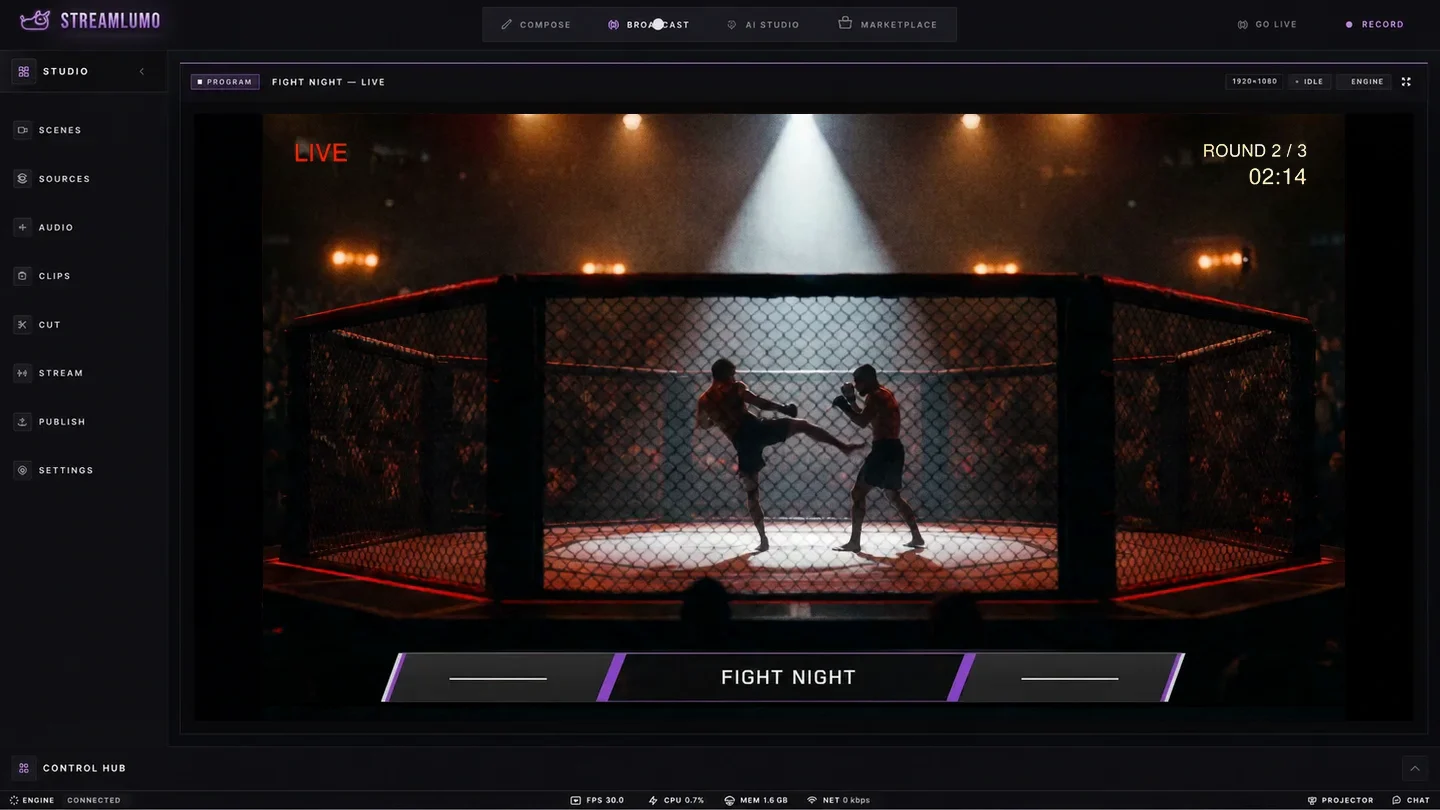 Program on air
Cameras, captures, media, overlays. Everything the show is made of, on one canvas.
Compose looks, stage the next shot on preview, take it when it is ready.
One program feed, one encode, whatever you add downstream.
Twitch, YouTube, Kick, Facebook, Instagram Live, and custom destinations — as many at once as your plan allows.
Build
A show is built before it airs. The canvas works the way an edit bay does: direct, layered, and forgiving.
Compose as many scenes as the show needs. Group sources, save templates, and switch between full looks in one action.
Drag, resize, crop, and layer every source on the canvas itself. Multi-select, copy, paste, and undo any move.
Add a camera once and reuse it across scenes. Change it in one place and every scene follows.
Chroma, color, and luma key with saveable presets. Green screens and clean lower thirds without extra tools.
A 9:16 canvas for shows built for phones. Same scenes, same sources, portrait program. Arm a destination on either canvas.
Point it at an OBS scene collection and it rebuilds your scenes, sources, transforms, filters, and audio. Groups, transitions, and hotkeys are what it skips today. Export your scenes to a portable file to move them between machines.
Every input on one mixer with fine gain and a live program meter, plus per-input monitoring, sync offset, balance, and mono downmix.
Noise suppression, gate, compressor, limiter, expander, EQ, and gain chain onto any input, saved as presets you reuse on the next show.
Switch
Preview and program, a take button, and transitions that read as intent. The grammar of a control room, one operator deep.
Stage the next shot on preview while program stays live. Take when it is ready and not a frame sooner.
Cut, fade, swipe, slide, wipe, fade to color, and luma wipe. Stinger transitions play your own branded clip over the switch.
Scene switches, takes, and recording on keys you choose. Run the whole show without touching the mouse.
See preview and program side by side on a multiview, and send program full screen to a second display.
Set a go-live time and an auto-stop. The show starts and ends on the clock even when you are mid-sentence.
Reach
One program feed, encoded once, delivered to every platform you stream to. Each destination watches its own health.
The show is encoded once and sent to every destination at the same time, so adding a platform never costs you another encode. How many run at once is what your plan sets: two to begin with, uncapped from Starter up.
Each platform connection reports its own status. If one drops, it reconnects on its own while the rest stay on air.
Chats from five platforms merge into one stream with real moderation: timeouts, bans, and message removal from a single pane. On Facebook and Instagram, message removal is what the platforms allow.
Keep
The live show is half the value. Everything you air is also everything you can cut, caption, and publish.
Record with quality presets, pause and resume, and markers you drop live to find moments later.
The last moments of the show are always in memory. Save the highlight after it happens instead of hoping you were recording.
Trim, clean up noise, level loudness, and remove silence and filler words. On-device captions, a highlight reel, and social reframing, all inside the studio. A paid capability, from Starter up.
Send finished cuts to YouTube and Facebook from the app. The queue handles exports while you start the next show. A paid capability, from Starter up.
Air a finished recording as a live broadcast. Premieres, reruns, and scheduled shows without re-performing them.
Third-party extensions load into the studio, and one that crashes at launch is sidelined automatically so it cannot keep the show down.
Local automation
These run inside the studio on your own machine, with no service to sign into and nothing leaving the app. A paid capability, from Starter up.
Point it at your be-right-back scene and sustained mic silence cuts to it on its own, then brings you back when you speak again.
Chat reaction spikes mark the moments worth clipping, weighted by raids, gifts, and subs. Computed locally, ready when the show ends.
Give your own AI assistant a gated seat at the board — reading live state and cueing scenes on your cue, with going live behind your approval. In testing now; we will name the assistants it supports once we have proven each one.
Reliability
A live show gets no second take. These are the choices that keep the program on air when something goes wrong.
The engine that composes and encodes your program runs separately from the interface. A busy panel or a heavy overlay never costs the broadcast a frame.
Every platform connection monitors its own health and reconnects with backoff when the network blinks. One platform's outage stays one platform's outage.
Stream keys are stored in the operating system's keychain, encrypted by the system. They are never written to a settings file.
An extension that crashes the studio at launch is quarantined automatically, and the studio restarts without it.
Early access · By invitation
Desktop Studio goes out through early access on Mac, in waves. Join the list and tell us what you produce — it is how we decide who we invite next.